
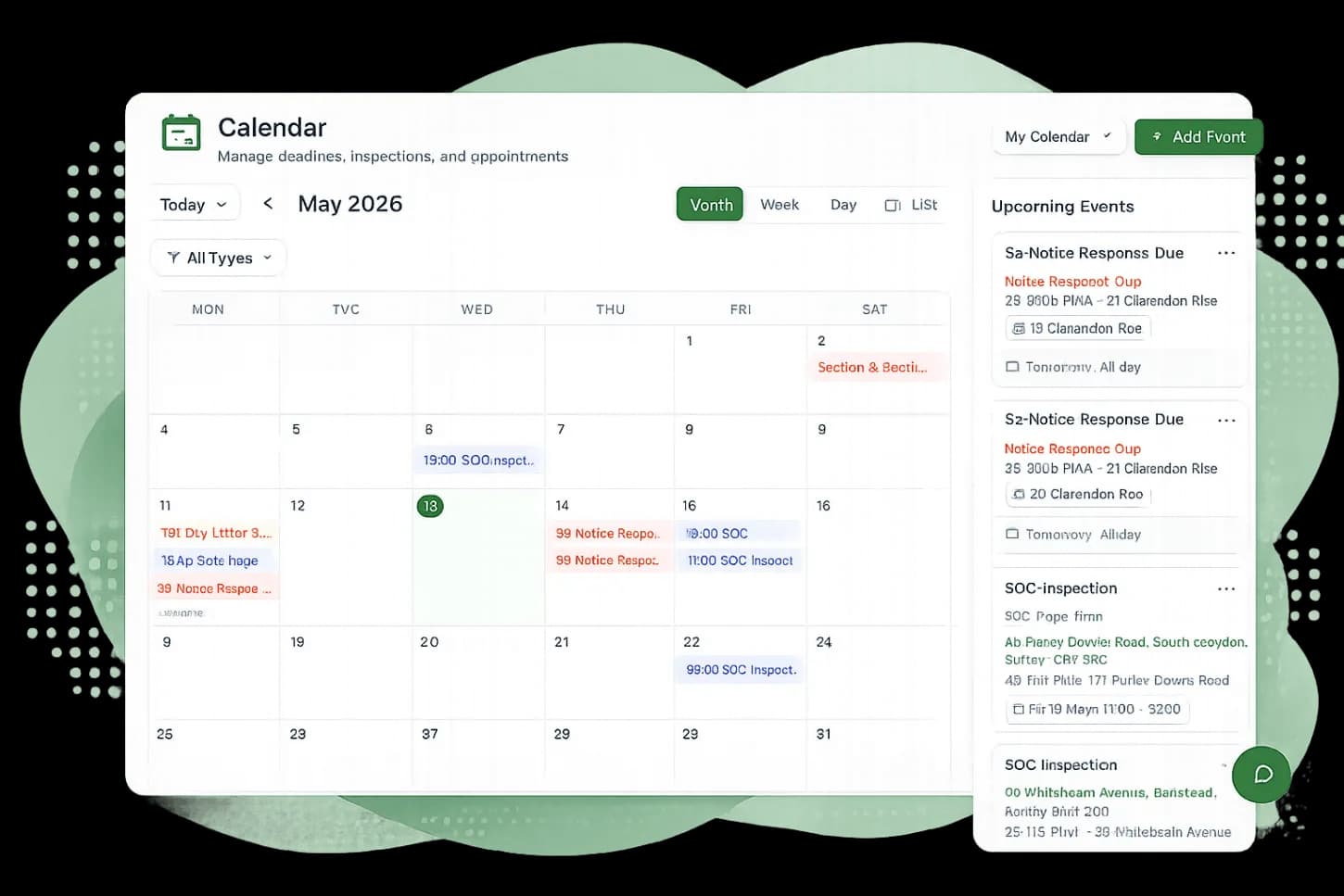
Calendar & Scheduling
Schedule inspections, deadlines, and appointments with a shared team calendar that syncs with your existing tools.
Party Wall Portal includes a fully integrated calendar that syncs bidirectionally with Google Calendar and Microsoft 365. Schedule inspections, set deadlines, and manage your team's availability without switching between apps.
Key capabilities
Google Calendar Sync
Two-way sync with Google Calendar so events created in either place appear in both instantly.
Microsoft 365 Sync
Connect your Outlook calendar for seamless scheduling alongside your existing Microsoft workflow.
Inspection Scheduling
Schedule site inspections directly from a matter and link them to the relevant job and property.
Reminders & Alerts
Get notified before upcoming appointments and when statutory deadlines are approaching.
Team Availability
View your team's schedule side-by-side to find the best time for inspections and meetings.
Recurring Events
Set up recurring appointments for regular site visits or team meetings with flexible scheduling options.
Sync with tools you already use
Party Wall Portal connects directly to Google Calendar and Microsoft Outlook. Events flow both ways — create an inspection in the portal and it appears on your phone, or add an event in Outlook and see it in the portal.
- Bidirectional sync with Google Calendar
- Full Microsoft 365 / Outlook calendar integration
- Events include matter references and property addresses
- Changes sync automatically within minutes
Purpose-built for surveyors
Unlike a generic calendar, every event in Party Wall Portal can be linked to a specific job and matter. When you schedule an inspection, the details flow through to the matter timeline and are visible to your whole team.
- Link events to jobs, matters, and contacts
- View upcoming inspections alongside statutory deadlines
- Filter calendar by surveyor, job, or matter
- Schedule directly from a matter's detail page
Explore more features
See how other parts of the platform work alongside Calendar & Scheduling.
Office 365 & Gmail
Send and receive emails directly within each matter with full Gmail and Outlook integration.
Job & Matter Management
Organise your entire workload in one place with full visibility over every action, communication, and document in your jobs and matters.
Tracker & Reporting
Get a bird's-eye view of every active matter with Kanban boards, table views, and export to Excel and branded PDFs.